Viewer cheers show up on your scoreboard
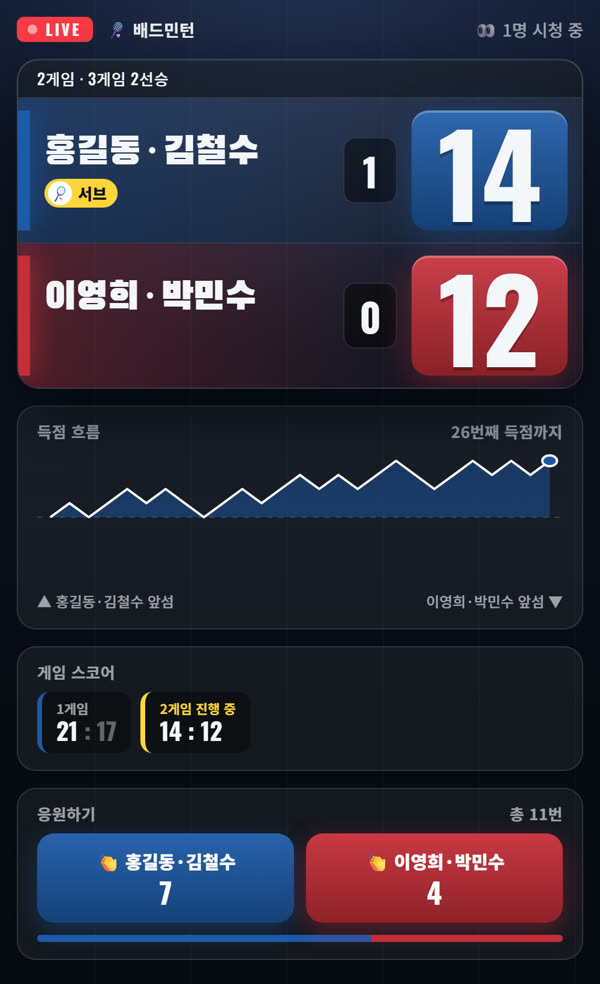
Viewers tap a team button under Cheer at the bottom of the link.
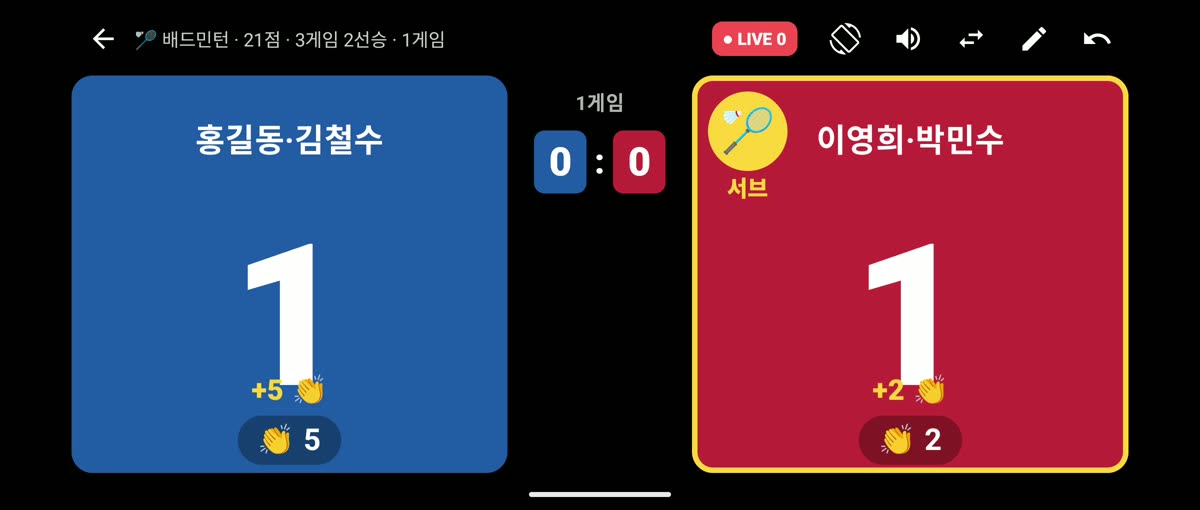
The 👏 cheer count appears under each team panel, and new cheers float up like +5 👏 and fade away.
How to try it
- On the match screen, tap the share icon at the top → Start sharing → Send link and post the link in your group chat.
- Viewers open the link and tap the team they support under Cheer at the bottom. They can tap as often as they like.
- The cheer count appears under the team panels on the scoring phone. It refreshes about every 3 seconds, so it rises even between points.
Cheering works only while sharing is on. We don't store who tapped, only a count per team.
No number shows until the first cheer, and it disappears from the scoreboard when you stop sharing. Tapping too fast pauses cheering for a moment.
Send feedback
For bug reports or other questions, email support@won-solution.com. How we handle feedback is described in the privacy policy.